

1.IVR Setup (Inbound Calling Set up)
When using the call center or inbound voicebots, you must pre-configure an IVR flow. This setup determines the greeting message, assigns the skill group, selects the AI bot, and allocates the corresponding line.
1.1 IVR Initial Setup
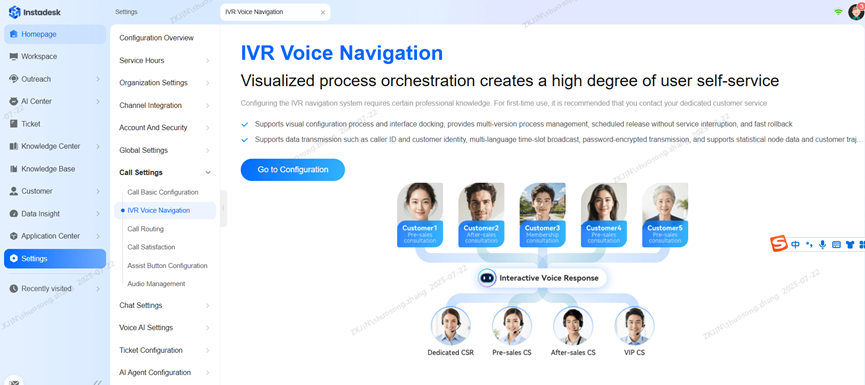
Navigate to Settings > IVR Voice Navigation and click the Go to Configuration button. When clicked, the system will navigate to the dedicated IVR configuration page.
You can create multiple versions to accommodate different business processes. However, only one version can be selected and published at a time.
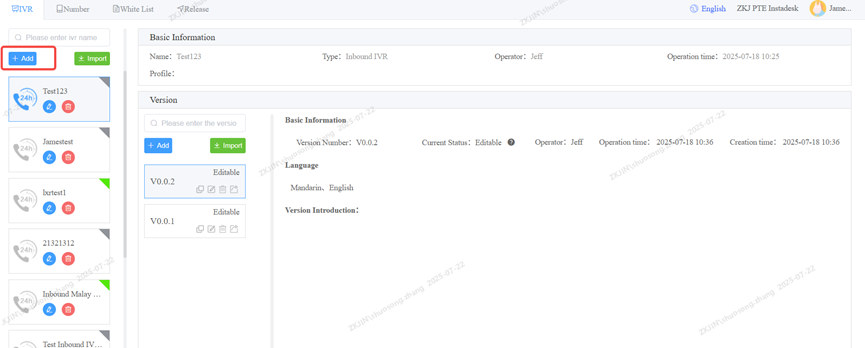
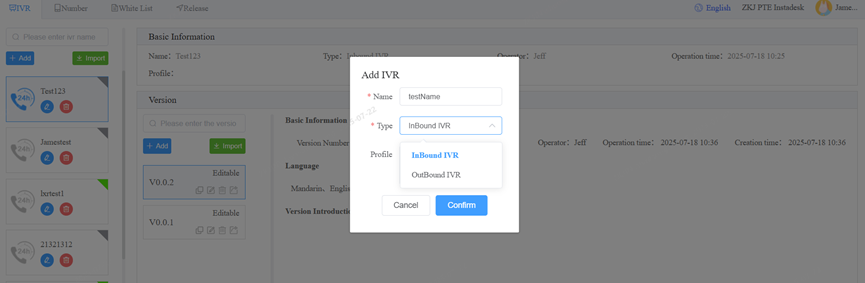
The Inbound IVR type is typically selected when adding a new IVR flow, as it is most commonly used for incoming call scenarios.
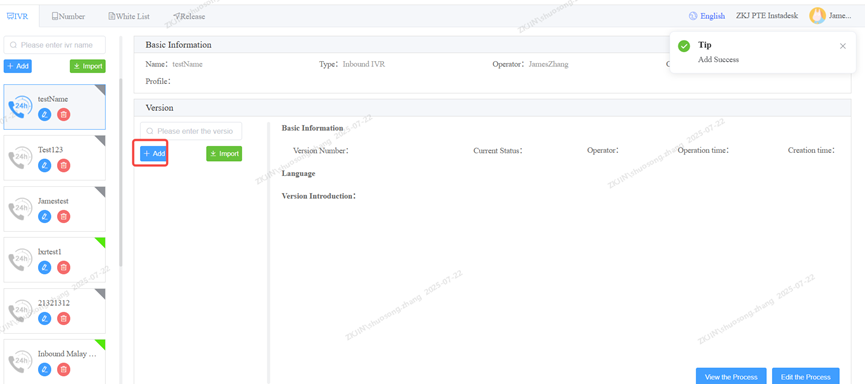
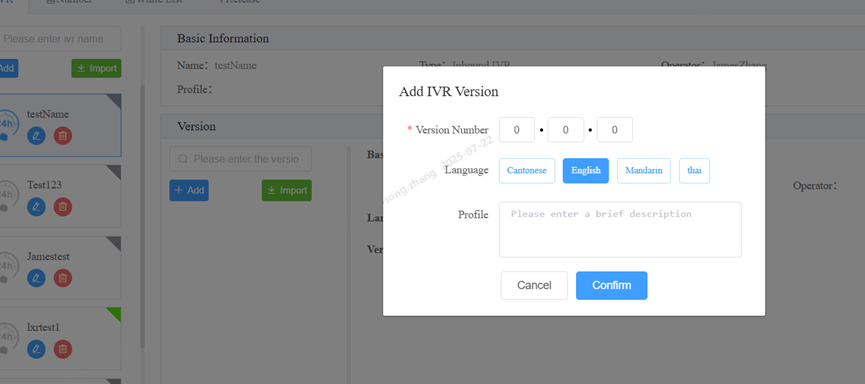
Choose the language and version number you need, default is 0.0.0
Select the language for the IVR based on its intended audience.
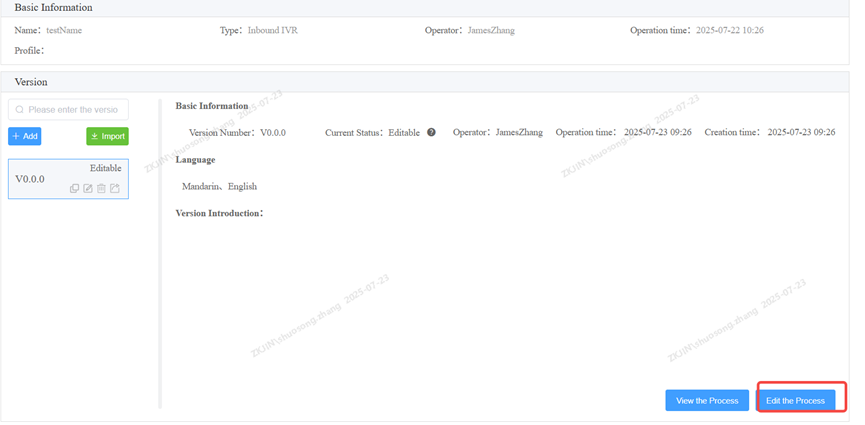
Click Edit The Process to modify the IVR flow.
1.1.1 Inbound IVR to Agent Setup
To route incoming calls to a live agent skill group, you must first configure an Inbound IVR flow. This requires setting up at least two Voice nodes and a Route to Skill Group node. This configuration ensures calls are correctly routed to the intended agent team.
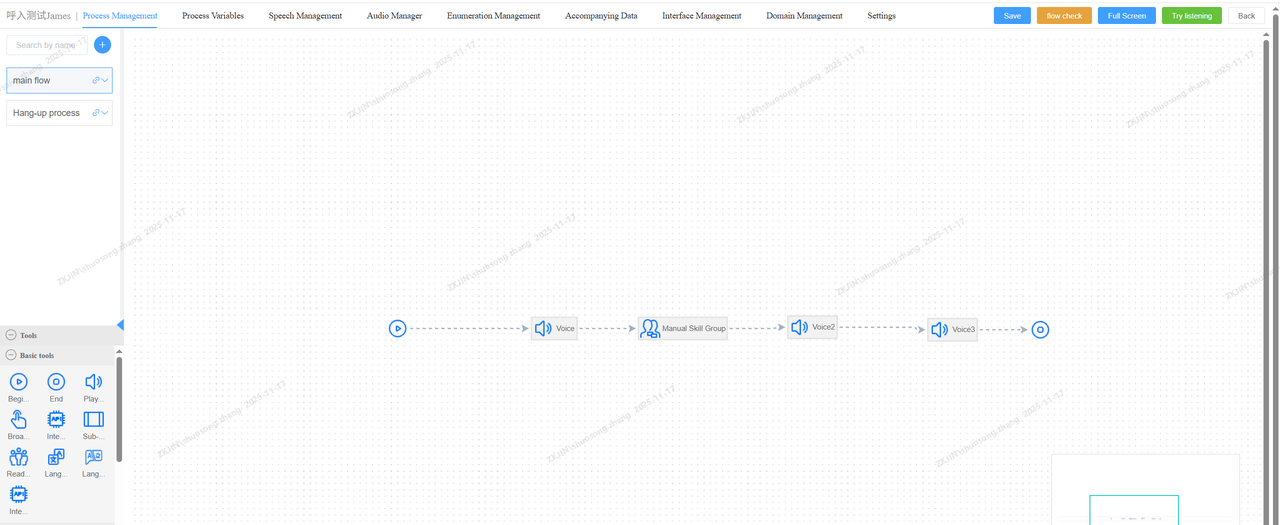
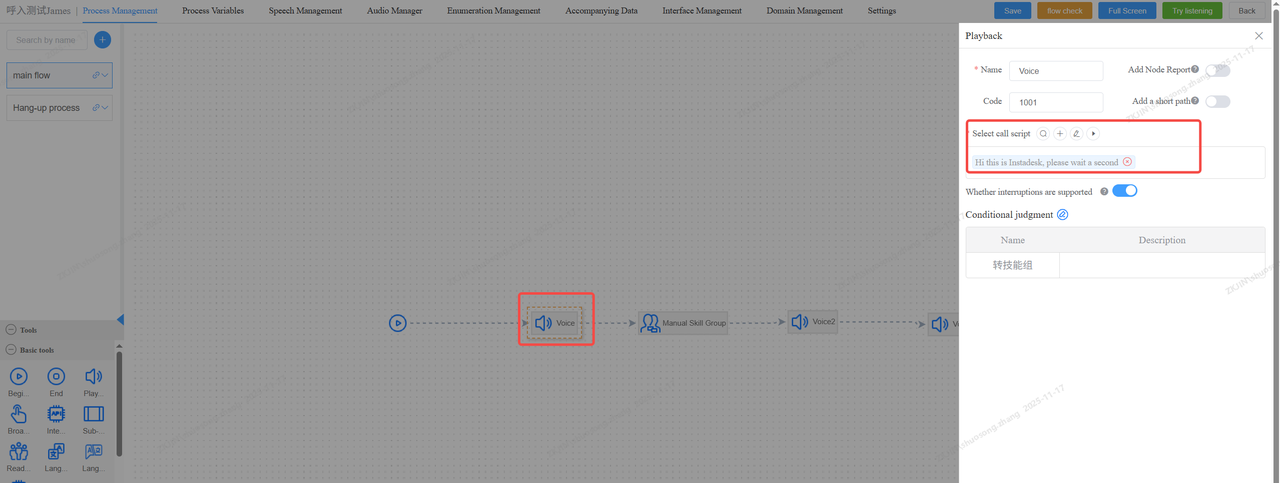
The Voice node allows you to directly input the text for the announcement. Text-to-Speech (TTS) function will automatically convert this text into speech for playback. You can also listen to the audio online.
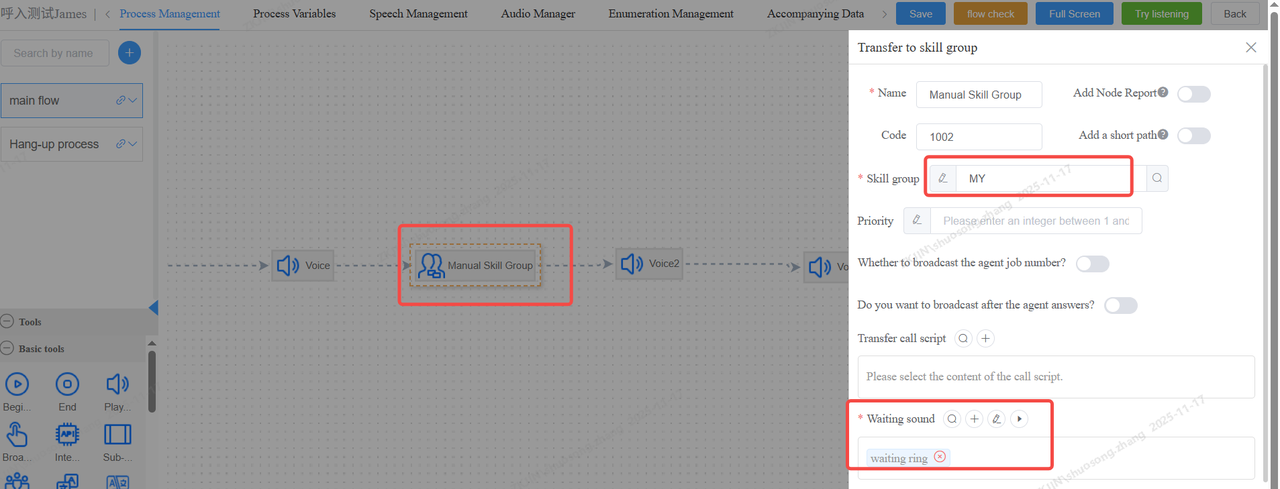
In the Transfer to Agent node, specify the skill group and setup the waiting .
Select the pre-configured skill group from the Skill Group dropdown
After configuring all settings, click Save. The IVR flow will be ready for use after you complete the next steps of binding a phone number and publishing it.
Next step, you need to connect with a valid sip trunk - (Please refer to: 1.1.3 Phone Number Binding & Publishing)
1.1.2 Inbound IVR to Voicebot Setup
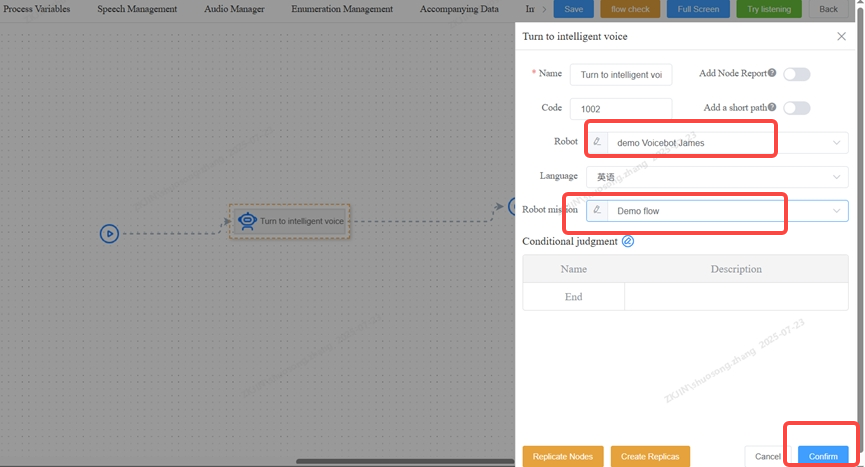
To direct incoming calls to an intelligent voicebot, first configure an inbound IVR flow. This is done by setting up a Turn to Intelligent Voice node, as shown in the picture below.
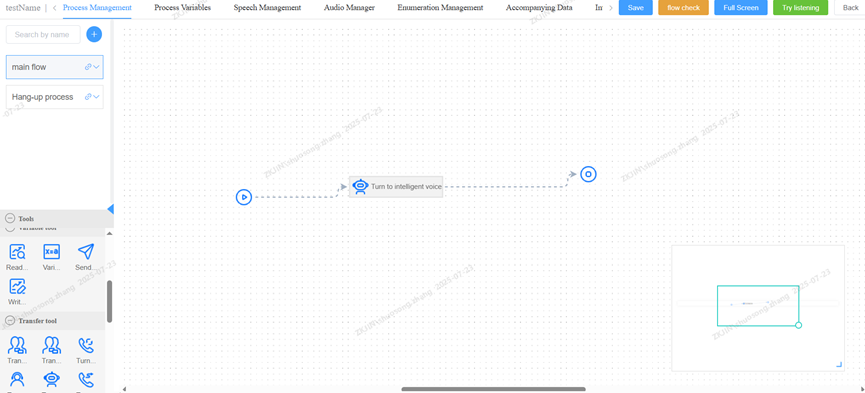
Click the transfer node and select a pre-configured inbound voicebot along with its corresponding reception flow. This enables the inbound voicebot to receive incoming calls.
1.1.3 Phone Number Binding & Publishing
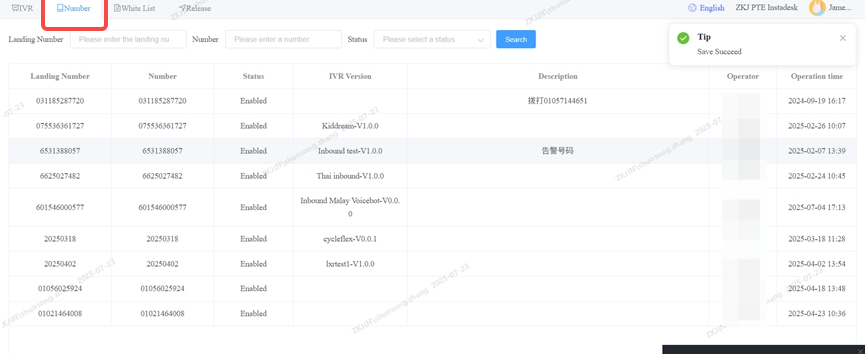
After configuring the inbound IVR flow, go to the Number section to verify your inbound phone number resources. An active phone line and number must be assigned to the IVR for it to receive incoming calls.
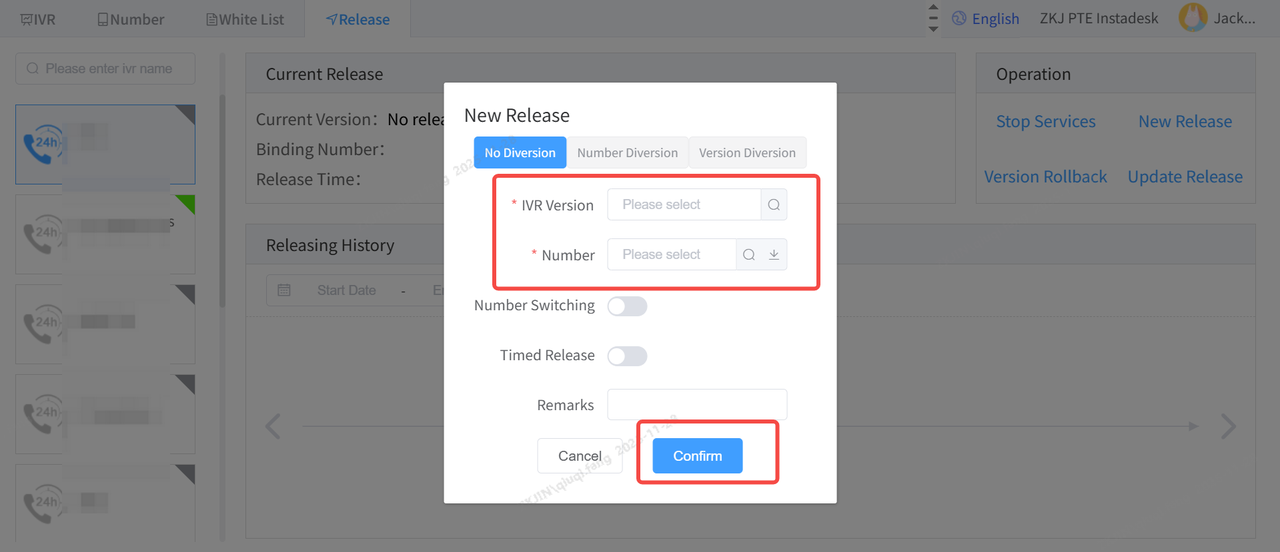
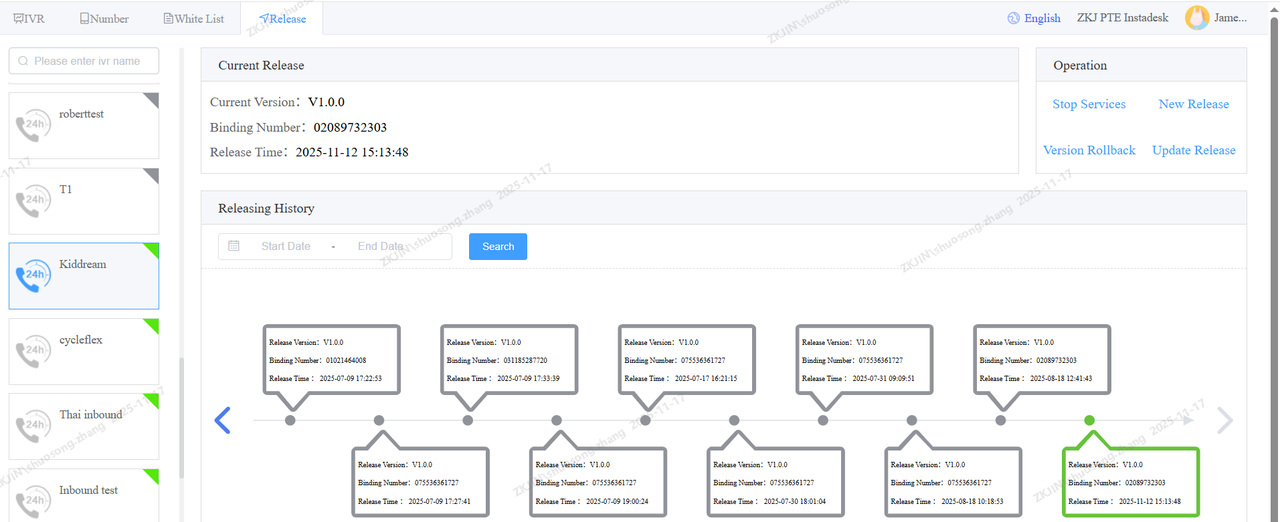
After completing the IVR flow and number configuration, navigate to the Release page. Create a New Release.
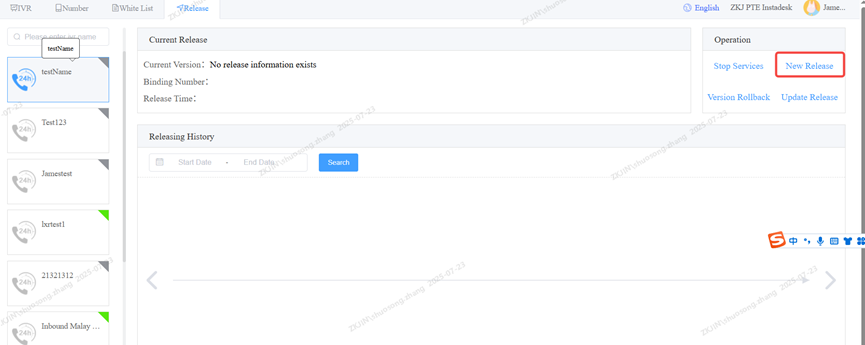
Select the corresponding IVR flow version and phone number, and then publish it. Once published, the inbound call feature will be active.