

1. Introduction & Settings
There are two types of email bots:
- Email Ticket Bot: Replies to customer autonomously
- Email Chat Bot: Does not reply itself, but instead suggests email content to assist human agents.
This guide uses the Email Ticket Bot as an example to explain the basic configuration process.
1. Create a Bot
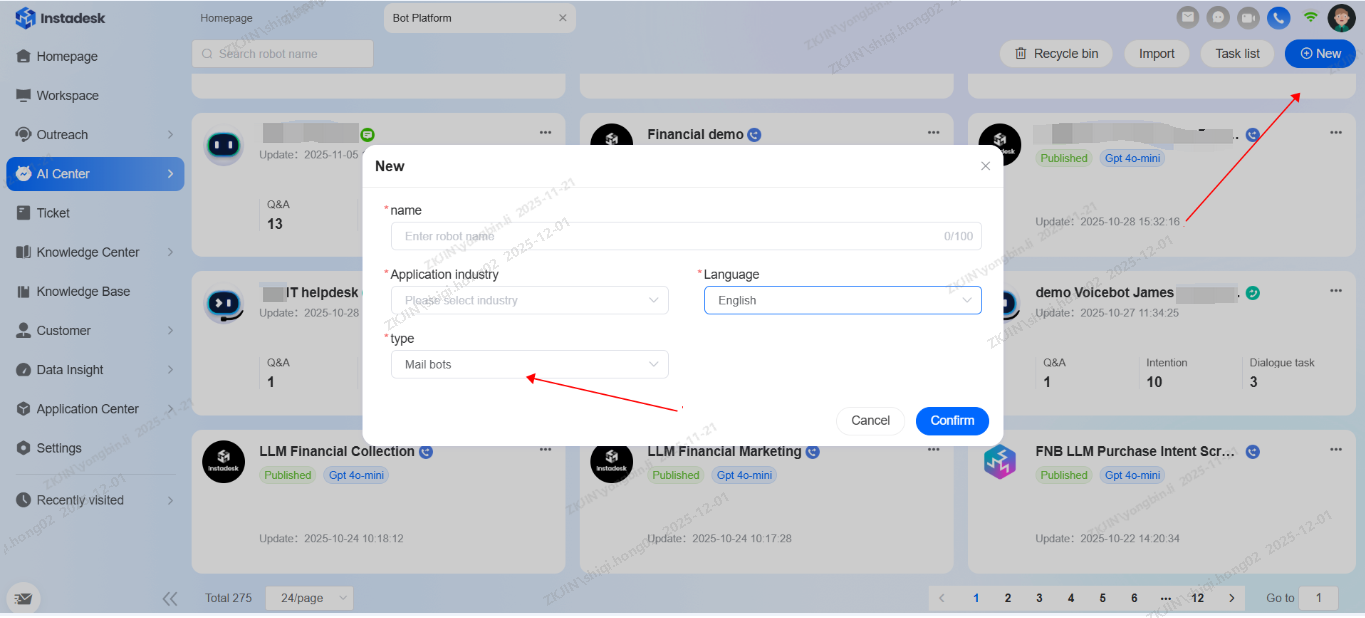
In AI Center, create the bot and select Mail Bot for the robot type.
2. Assign ticket to the bot
Navigate to Settings > Ticket Configuration > Ticket Trigger.
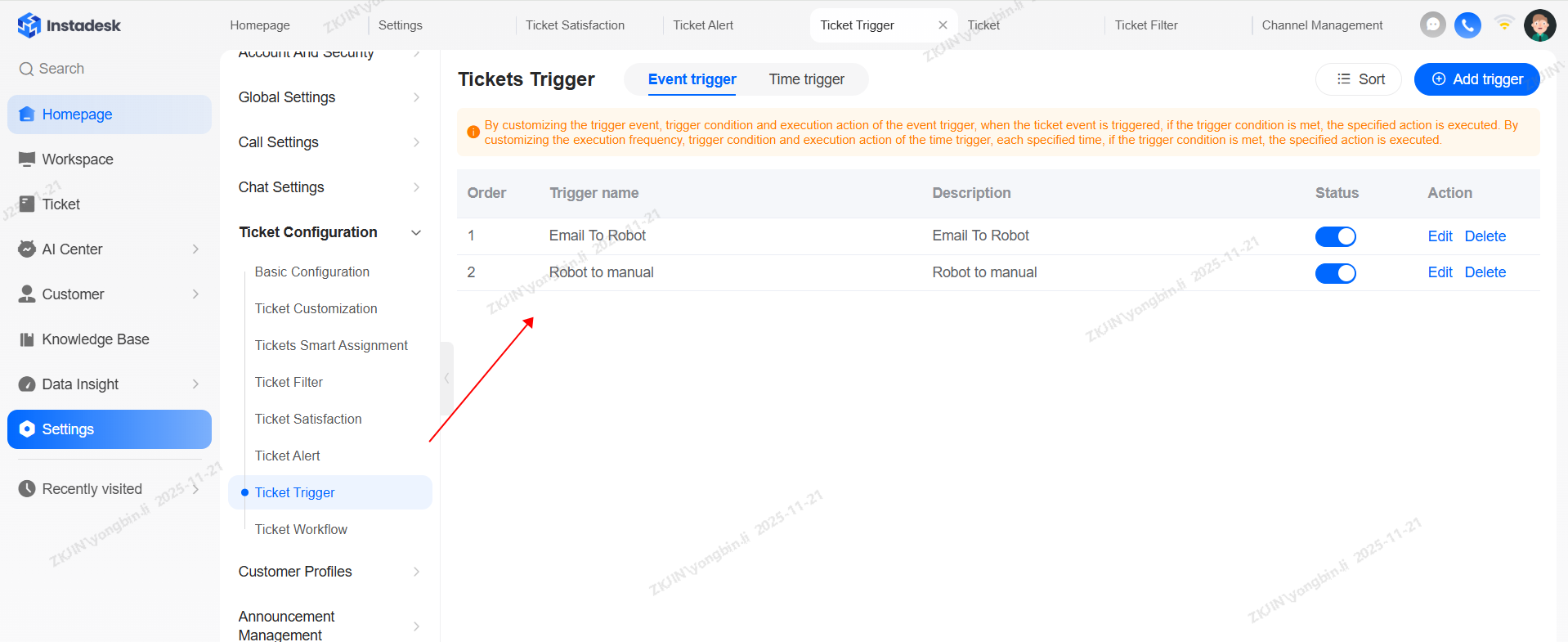
Create a trigger in the ticket system. Set the condition to: "When a ticket is created, assign the ticket to the email bot."
3. Ticket Transfer from Bot to Agent
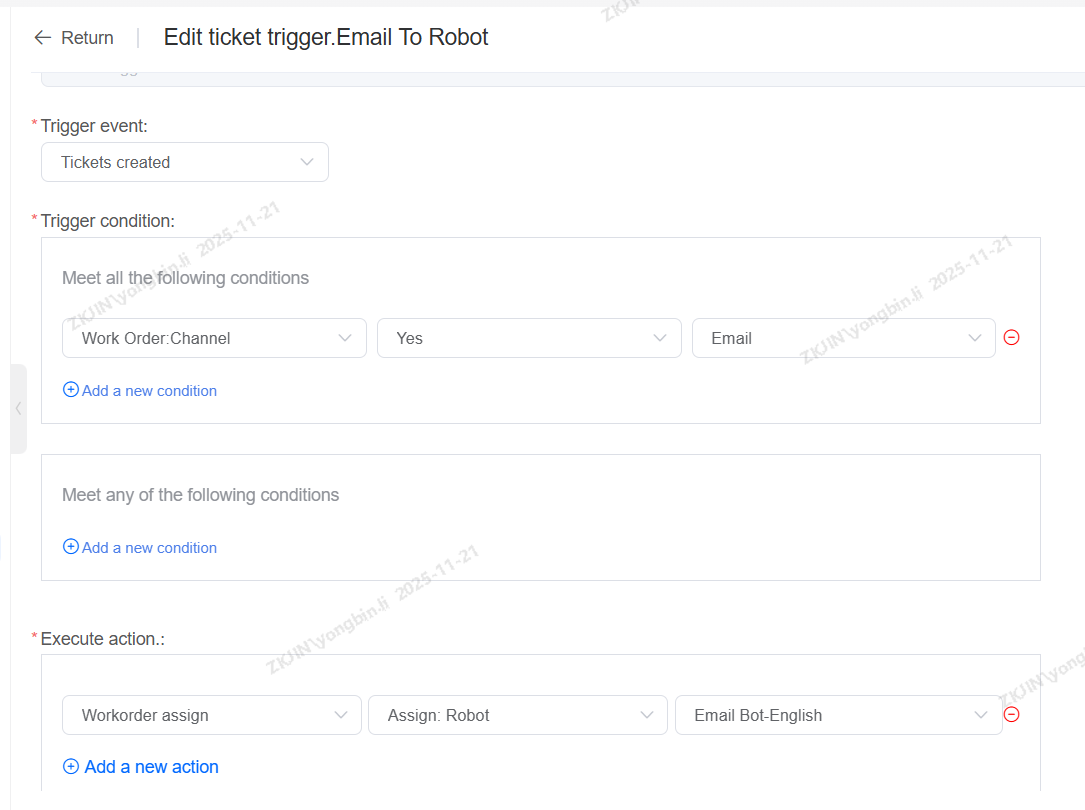
Before creating the ticket trigger of transferring to live agents, you need to add manual rules in email bot first.
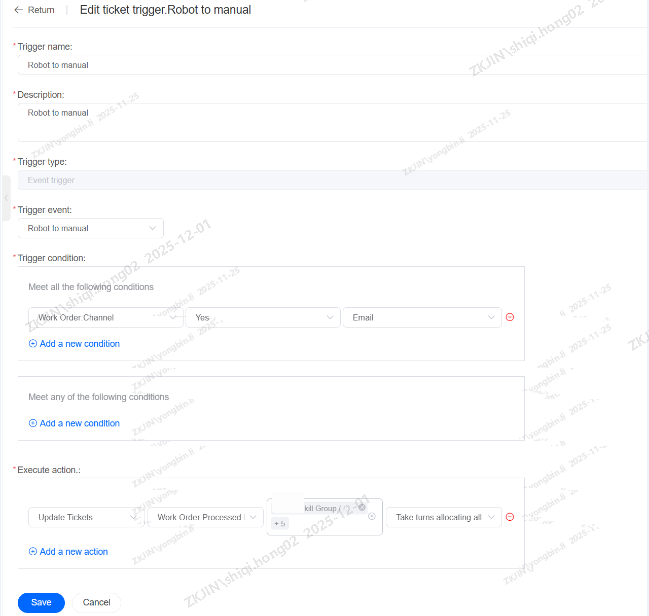
Above is an example of the bot transferring the ticket to an Agent.